
|
Hello I have a subscription to PlanetScope tropical basemap from the Tropical Forest Observatory program. Is it possible to use this in the Collect Earth desktop app? Thanks Zoyha |

|
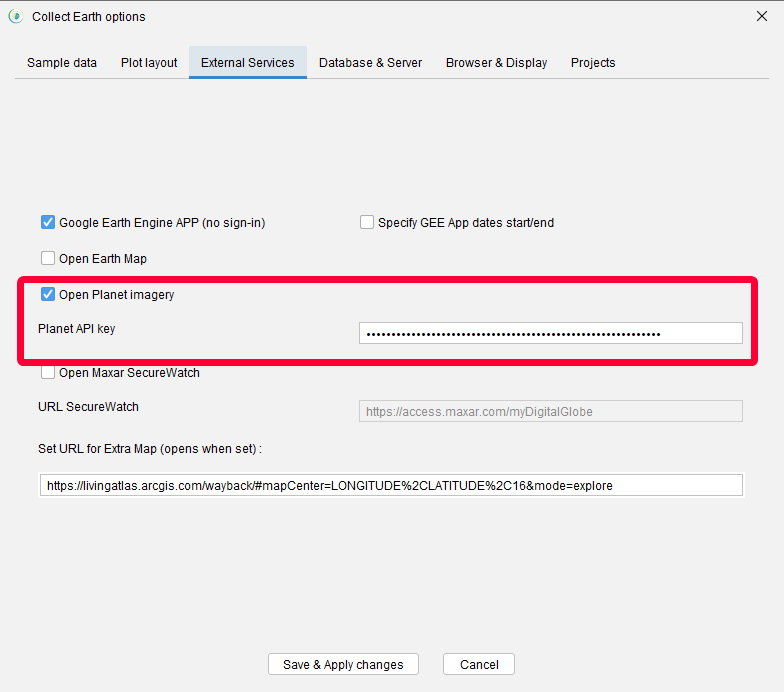
To access the Planet imagery directly in Collect Earth open the "Properties" dialog and then in the "External services" dialog activate the "Open Planet imagery" option. Then click on "Save & Apply changes", make sure to change to a different plot to ensure that the new browser window opens. You will need to se the API key here. You can find your API key in Planet's website, once you have logged in , go to https://www.planet.com/account/#/user-settings and copy the API key. This key is not shared with our servers and stays in your computer (local Collect Earth properties file) and is used when your browser communicates with Planet's servers.
Let us know if you have any issues! |

|
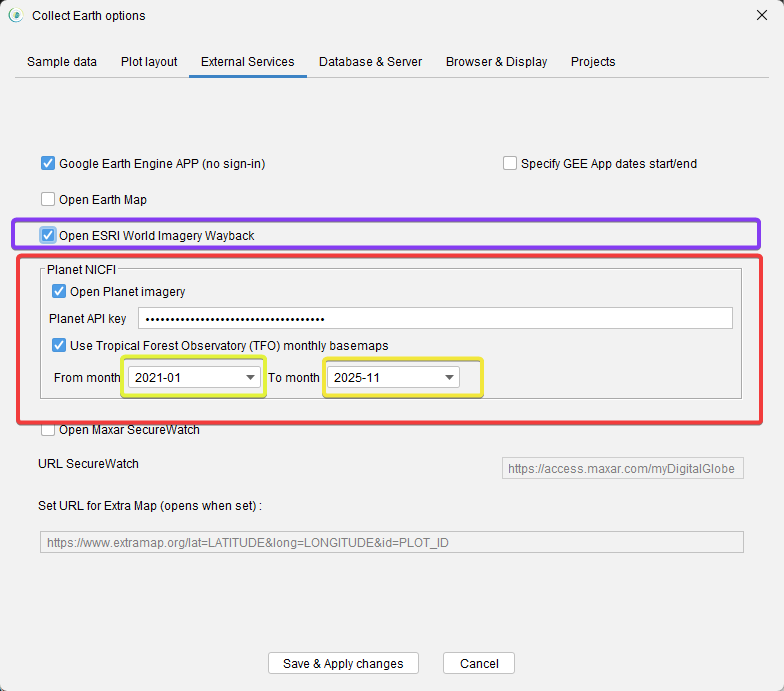
Thanks for helping us debug this issue. You can now update Collect Earth to version 1.22.5 (you will get an update dialog when you open Collect Earth) and set the API key on the External Services tab of the Properties dialog. If you cannot update, then just download the installer again from openforis.org You should check Open Planet Imagery and set the API key, also select the "Use Tropical Forest Observatory(TFO) monthly basemaps" , otherwise the integration will try to open the daily imagery for which you probably do not have access. Finally, you can set which months you want to show by default in the imagery comparison. Otherwise the oldest and newest monthly mosaics will be shown. IMPORTANT: There is a new integration that allows you to see the ESRI World Imagery Wayback images centered on the plot (although the plot itself is not shown)
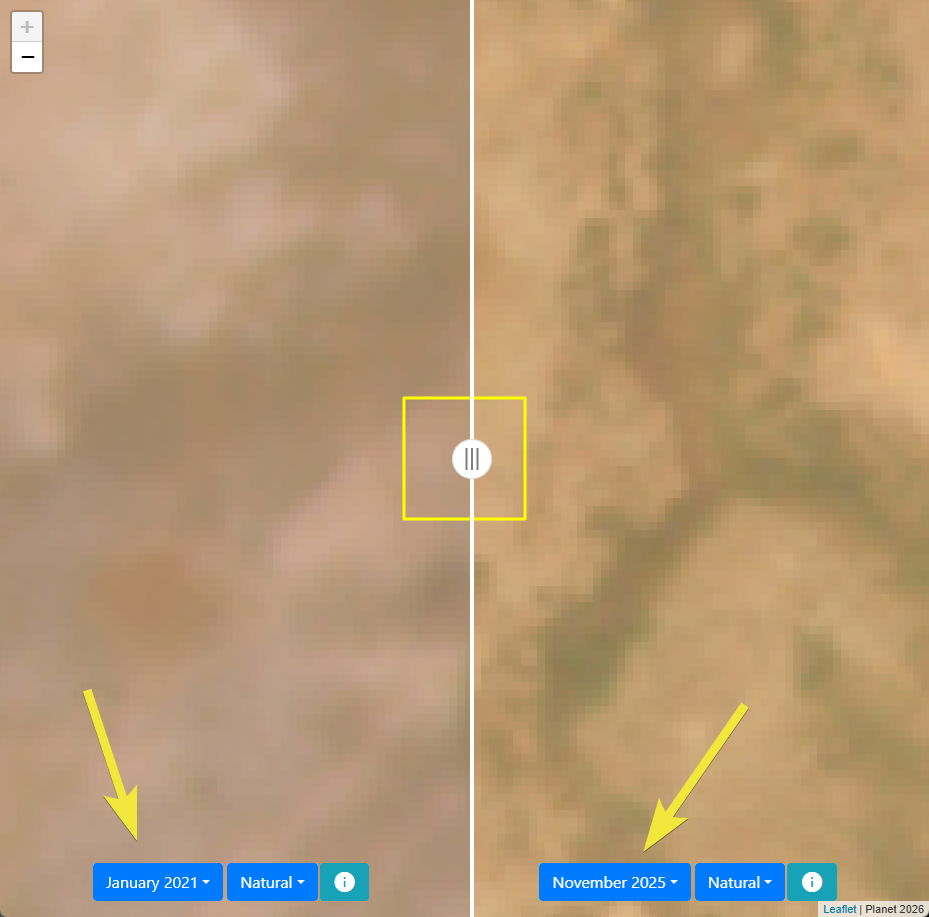
And here is how it looks with the slider to compare between dates (see that the dates selected are shown by default)
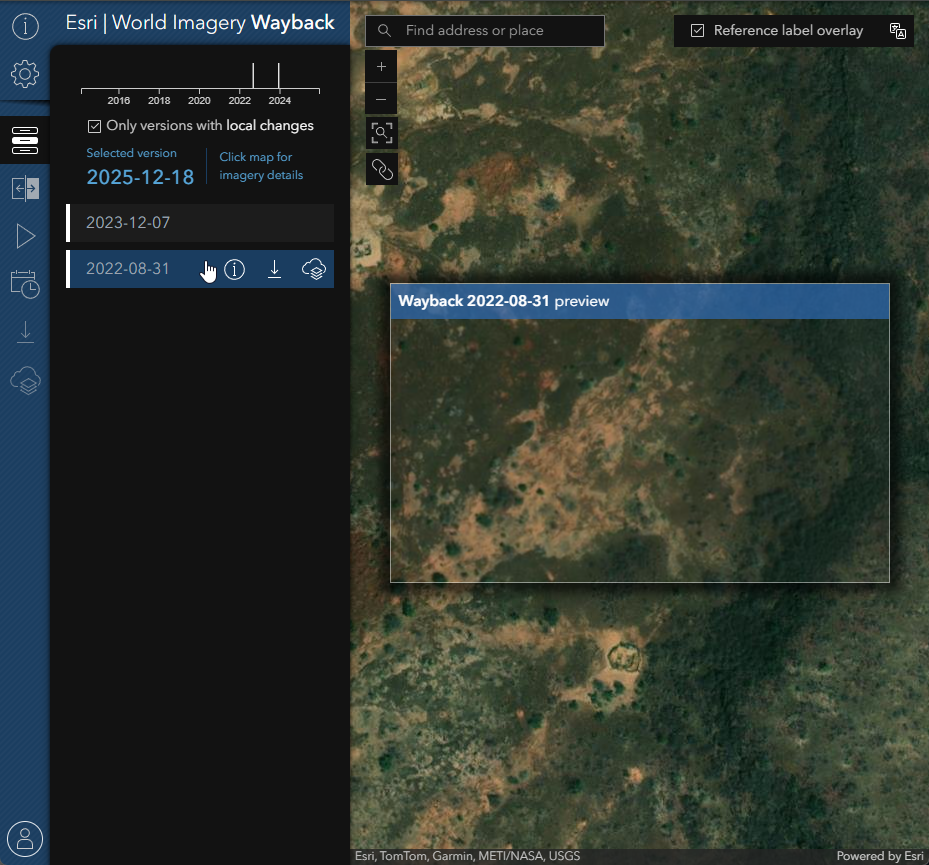
Finally: here is the ESRI integration also, no plot is shown:
|
|
I have tried this but it still doesn’t work. The browser opens but nothing is displayed. |
|
Thank you so much. I have gained access to Planet through my Collect Earth app. The ESRI Wayback is a bonus !! |