Automatically calculate plot dia after slope angle

  • Asked
  • Active
  • Viewed 878 times
0

Good day. I'm trying to set up a field in the survey form designer, that will automatically calculate corrected plot radius for the survey team in field, after the slope angle has been determined and entered into the appropriate field. Is this possible and how do I go about it?

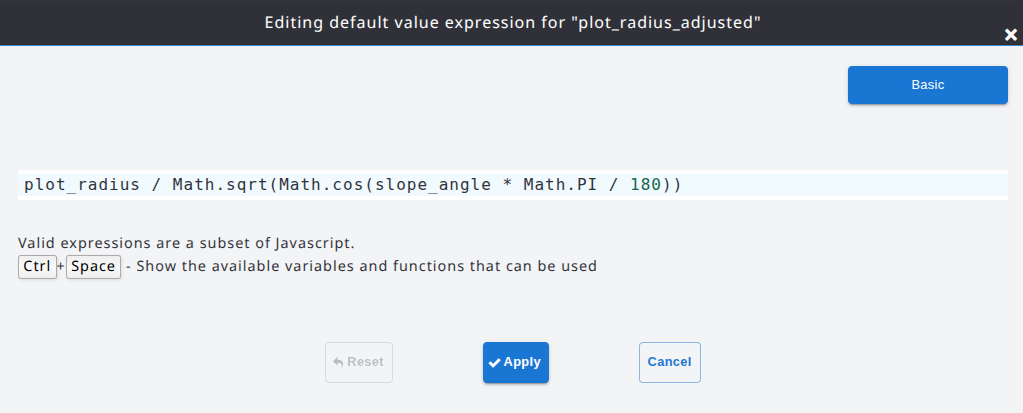
plot_radius / Math.sqrt(Math.cos(slope_angle * Math.PI / 180))

0

Accepted answer

Dear user,
If your survey has an attribute with the plot radius called "plot_radius" and another one with the slope angle (in degrees) called "slope_angle", the expression you typed will work as it is.
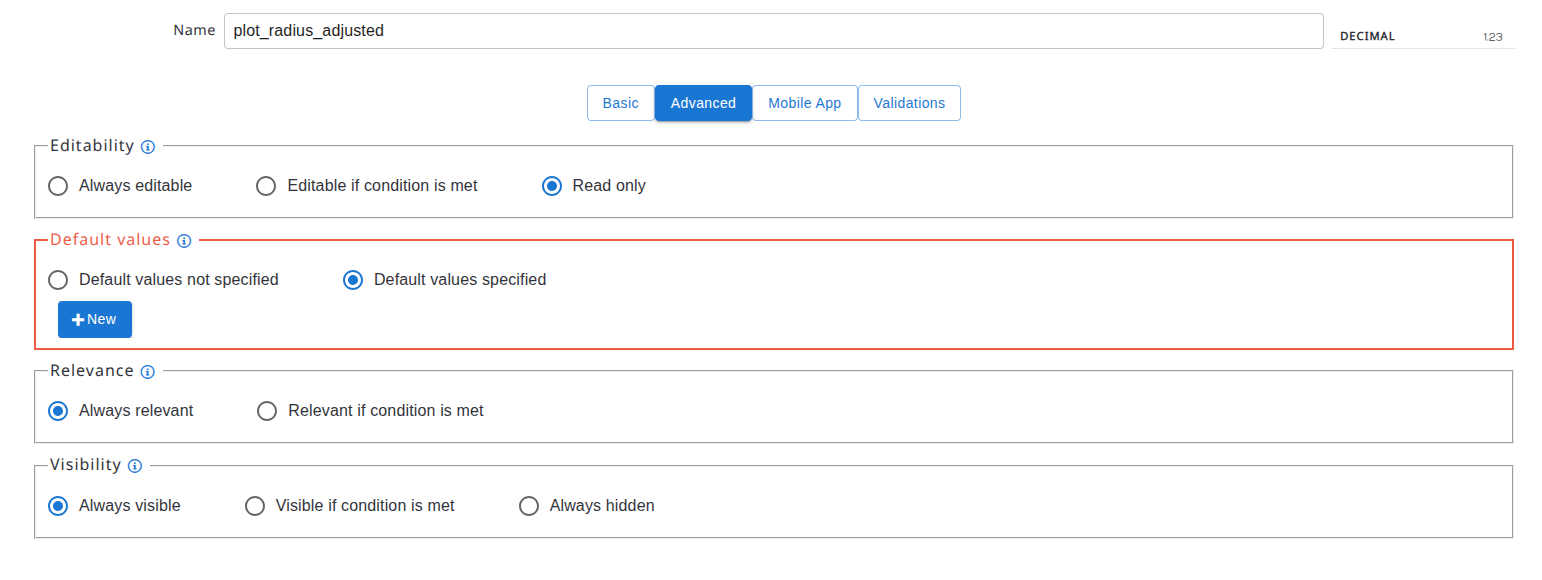
Create a new read-only attribute, called for example "plot_radius_adjusted" and use that expression as a default value expression (define it using the "Advanced" expression editor), following these steps:

  • Create a new decimal attribute and mark it as read-only:
alt text

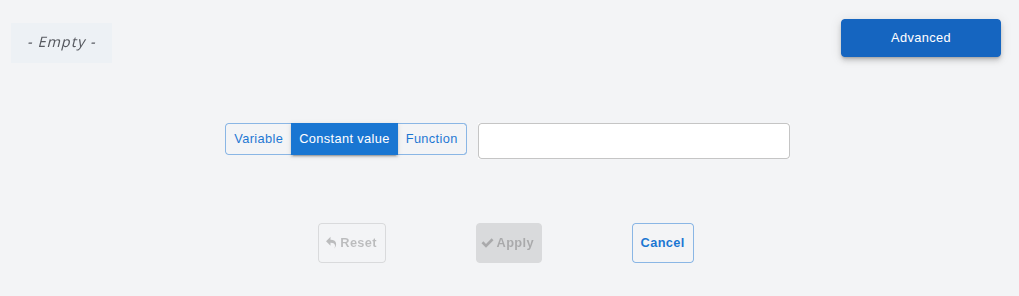
  • In the expression editor that appears, click on the "Advanced" button on the top right corner:
alt text

  • Copy and paste the expression in the text input:
alt text

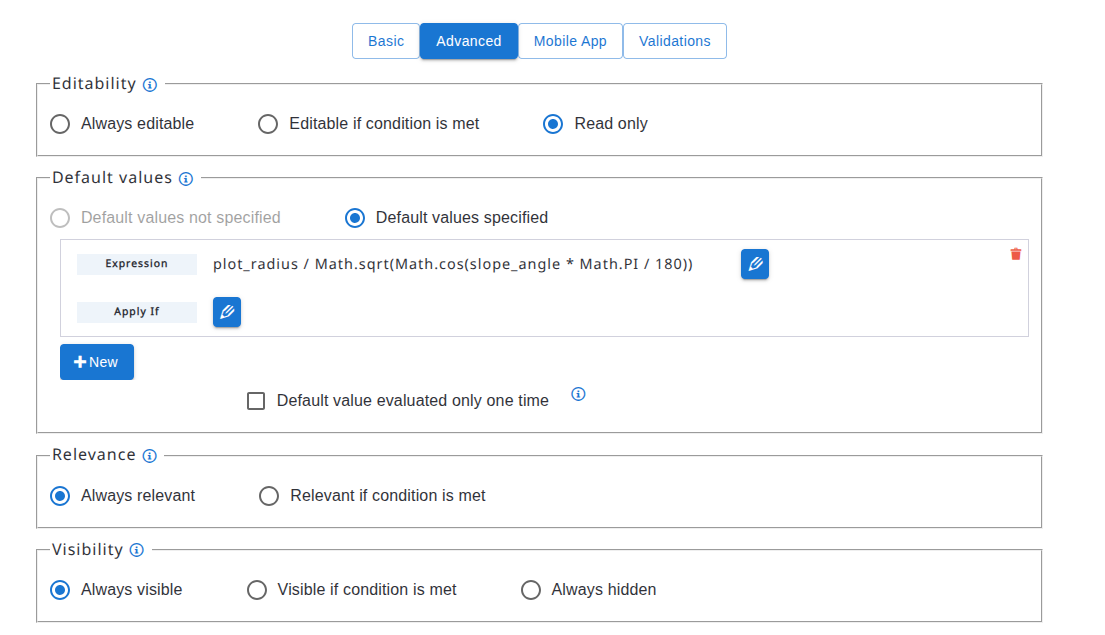
  • Apply the changes and if the expression is correct, the result should be this one:
alt text

Many thanks,
Open Foris Team

0

Accepted answer

Thank you so much for the help I really appreciate it.

Your answer

Markdown text. Shortcuts: Ctrl+B bold, Ctrl+I italic, Ctrl+K link, Ctrl+E code, Ctrl+Shift+V paste as plain text. Tab indents list items and code; press Escape, then Tab, to leave the text box.

Insert an image

Say what the image shows, for people who can't see it.

Keyboard shortcuts

Anywhere

?
Show this list
/
Search
g h
Go to the home page
g q
Go to the questions
g t
Go to the tags
g u
Go to the users
a
Ask a question

Lists of questions

j k
Next or previous question
Enter
Open the question

Question pages

j k
Next or previous post

Shortcuts never apply while you type in a text field. Members can turn them off in their preferences.