
Dear support, I have a problem to find the right way to make a variable required and mandatory in specific cases. It is about height measurements on trees and these should be mandatory if the tree status is >2. In all other cases tree height can be measured, but is not mandatory. I tried several validations and "Relevant if", but this does not solve my problem. I want this height entry to be mandatory and/or get an error message if the field is empty in specific cases. Thank you, Lutz

Accepted answer
Dear Lutz,
Thanks for reaching out! We are currently developing a feature that makes attributes conditionally required (e.g., mandatory only when tree status > 2). This will be available in Arena and Arena Mobile in November.
As a temporary workaround, you can:
- Create two height attributes (one required, one optional) and use "Relevant if" conditions (tree status > 2 and tree status <= 2) to display the appropriate field.
- Create a hidden, read-only attribute to combine the two height fields so you have a single variable for analysis.
While this adds extra fields to your survey structure, it will get the job done until November. We'll update you here as soon as the new feature is released!
Many thanks,
The Open Foris Team

answered
Stefano (OF) ♦♦ 5.7k●1●1●9 accept rate: 19%
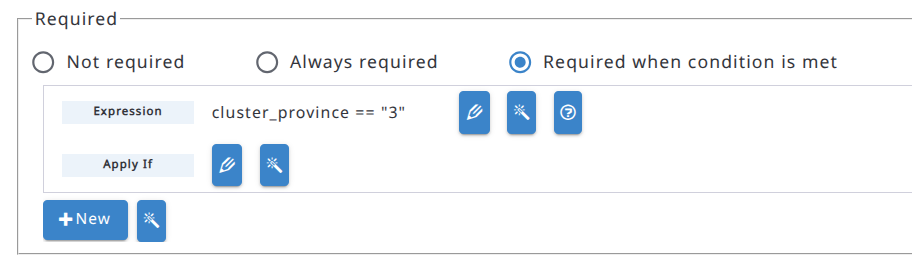 By default, attributes are not required.