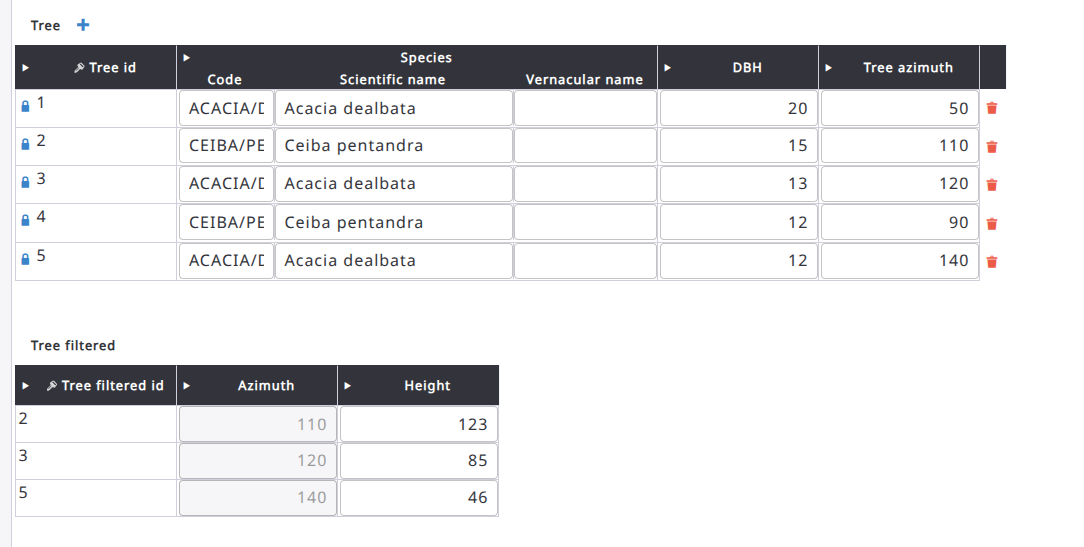
Dear OFA team, I am trying to implement a specific workflow in OFA and would like to know if it's possible. Here is the scenario:

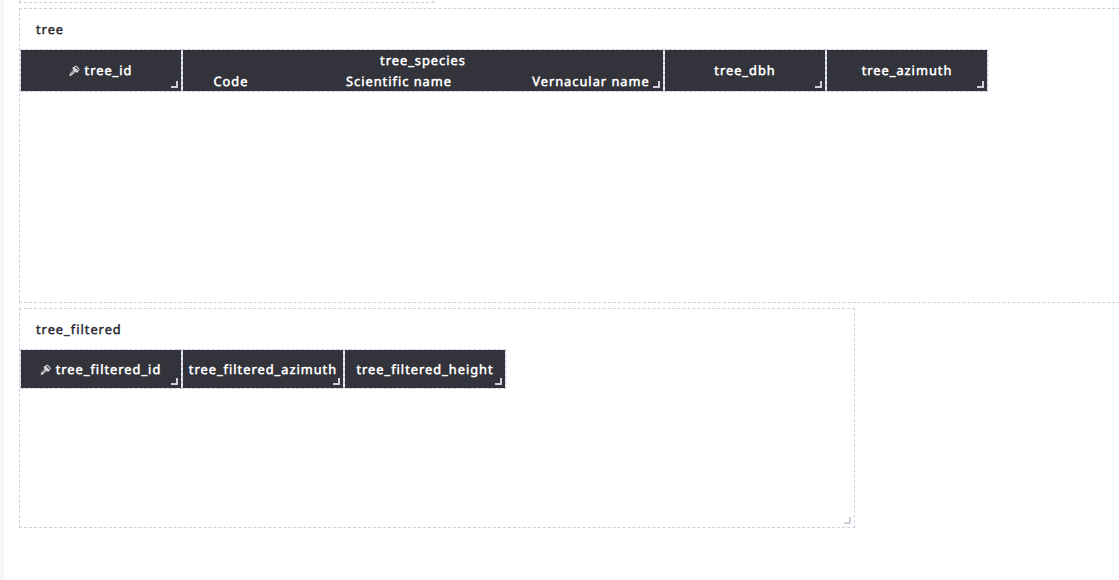
  1. First Form: The user enters a list of trees with attributes: treeID, species, dbh, and azimuth.
  2. Second Form: The user navigates to a new form that displays a filtered subset of those trees (e.g., dbh > 10 and conifers only). From this list, the user selects a tree to enter an additional attribute (e.g., height).

I know this could technically be achieved within a single form by dynamically changing the visibility of the height attribute. However, due to our workflow requirements, we specifically need a two-form setup where the second form only shows the filtered trees.

Is there a feature or option in OFA that supports this kind of multi-form scenario?

asked 08 Jul, 23:18

acer's gravatar image

acer
111
accept rate: 0%


Dear User,
Thank you for reaching out. Currently, we do not have a feature that supports this specific scenario. However, we are already working on a solution that we believe will fit your needs, which is expected to be available by the end of August.
How it will work:

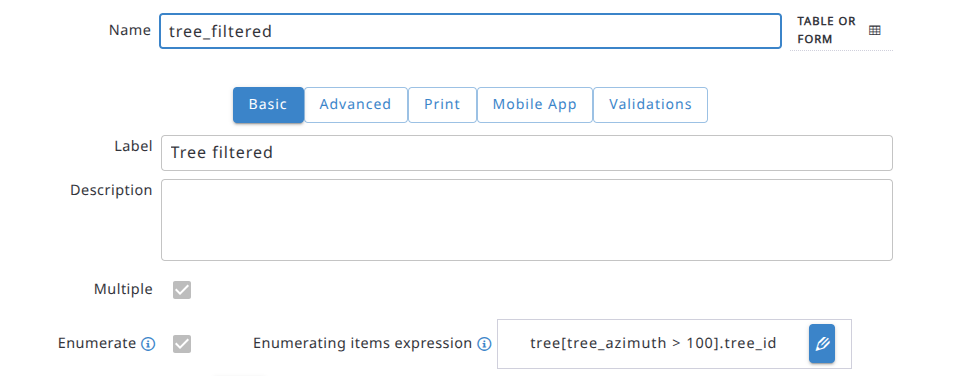
  • the filtered entity table will have to include a "minimum count" expression (to determine the number of filtered items) and a "relevancy" expression.
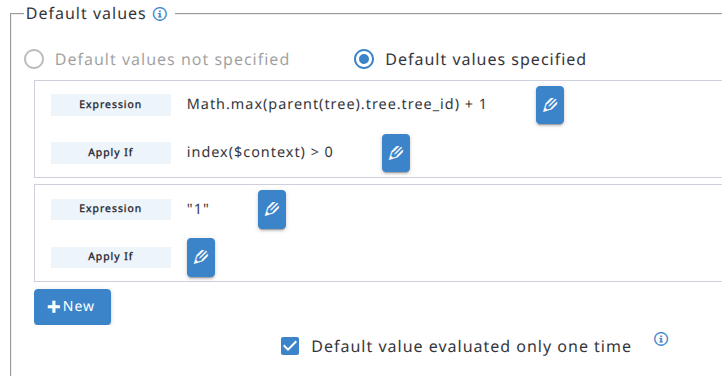
  • when the table becomes relevant, the specified number of entities will be automatically generated.
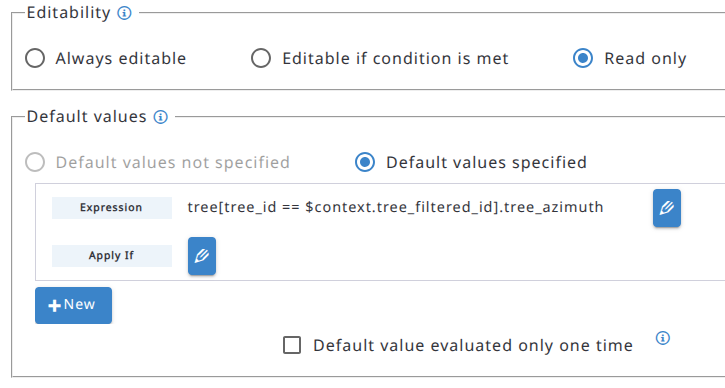
  • you will then need to set certain attributes as read-only (fetching values directly from the "source" table) while keeping other attributes editable.

Could a feature like this work for your use case? We would love to hear your thoughts.
Best regards,
The Open Foris Arena Team

permanent link

answered 2 days ago

Stefano%20%28OF%29's gravatar image

Stefano (OF) ♦♦
5.4k119
accept rate: 18%

Your answer
toggle preview

Follow this question

By Email:

Once you sign in you will be able to subscribe for any updates here

By RSS:

Answers

Answers and Comments

Markdown Basics

  • *italic* or _italic_
  • **bold** or __bold__
  • link:[text](http://url.com/ "title")
  • image?![alt text](/path/img.jpg "title")
  • numbered list: 1. Foo 2. Bar
  • to add a line break simply add two spaces to where you would like the new line to be.
  • basic HTML tags are also supported

Question tags:

×85

question asked: 08 Jul, 23:18

question was seen: 58 times

last updated: 2 days ago